

Duplex printing is a common feature in modern printers, but choosing the right flip option can still be confusing. Many users struggle with Flip on Long Edge vs Short Edge, and a wrong selection often leads to upside-down pages, poor alignment, and wasted paper.
Whether you are printing office documents, study notes, brochures, calendars, or manuals, understanding Flip on Long Edge vs Short Edge makes a big difference. This guide explains how both settings work, when to use each one, and how to avoid common duplex printing mistakes.
Table of Contents
What Is Duplex Printing?
Duplex printing: printing both sides of a sheet of paper. People widely use it because it:
- Saves paper
- Reduces printing costs
- Produces professionally-appearing documents
- Enhances the order of documents
In duplex printing, the printer prints one side, then turns the paper and prints the other side. The setting flip, long edge vs short edge, is in charge of the direction that this flip takes.

Understanding Flip on Long Edge vs Short Edge
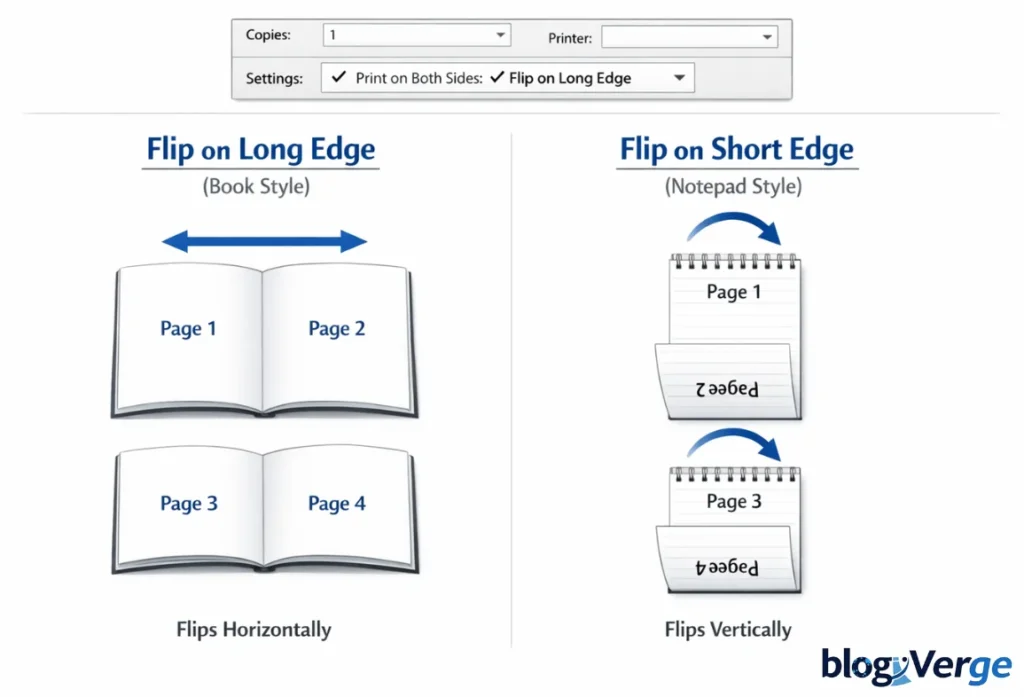
When you choose Print on Both Sides, the majority of the printers give you two choices:
- Flip on Long Edge
- Flip on Short Edge
These selections determine how the paper is folded back and forth for printing. Selecting the right one guarantees you can read both sides and have them positioned appropriately.
In simple terms:
- Flip on the long edge = book-style page turning
- Tilt on the short side = paperboard page turning.
Flip on Long Edge: Meaning and Best Uses
What Does Flip on Long Edge Mean?
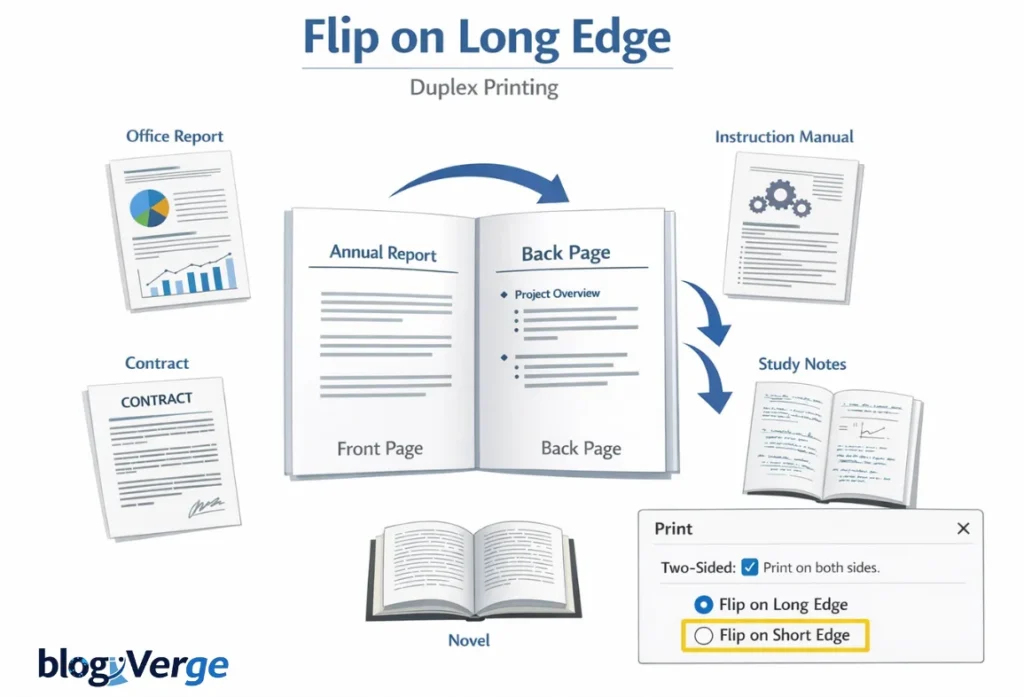
The long-side flip involves turning the paper over so it lies on its longer side. The content usually appears on the left or right side of the page, depending on the portrait orientation.
When this option is selected:
- Pages turn left to right
- Both sides remain upright
- The book-like document is easy to read
Best Use Cases for Flip on Long Edge
This option is ideal for:
- Portrait documents
- Office reports
- Books and manuals
- Contracts and proposals
- Academic notes and essays
When you want to read your document as a normal book, it’s appropriate to flip it on its long edge.
Flip on Short Edge: Meaning and Best Uses
What Does Flip on Short Edge Mean?
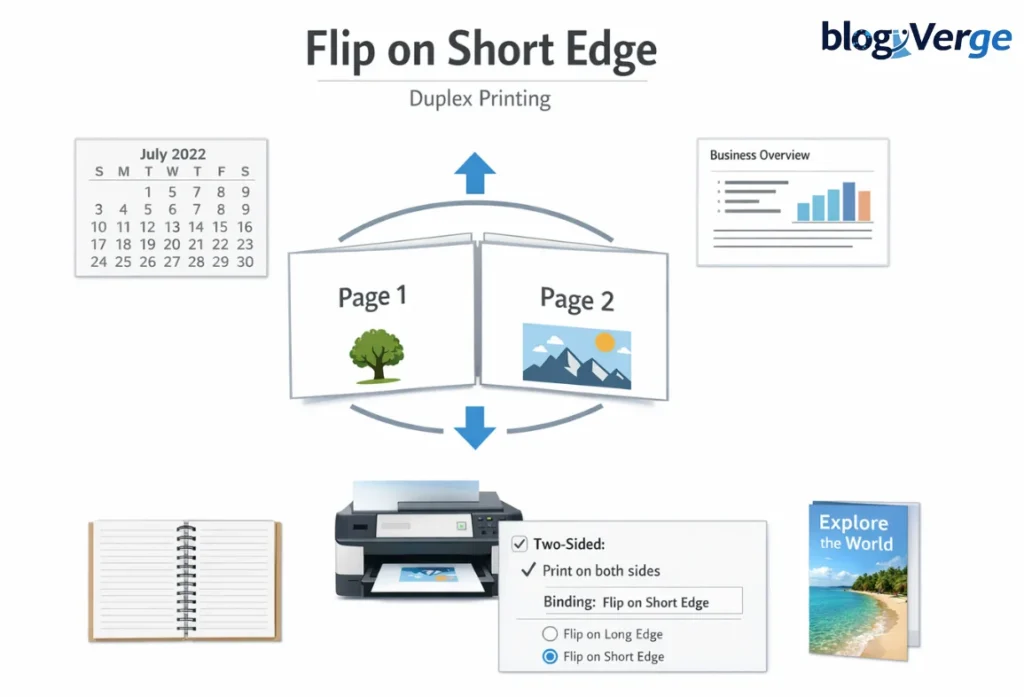
The flip of the page is done using the shorter side (top or bottom). The process produces an up-and-down flipping movement.
When selected:
- The pages turn either down or up.
- The right and left sides remain fixed.
- Design the content vertically.
Best Use Cases for Flip on Short Edge
On the short side, the best way to flip is:
- Landscape documents
- Calendars
- Presentations and slides
- Top-bound notebooks
- Vertical brochures
This alternative allows reading the content from bottom to top by flipping the page.
Flip on Long Edge vs Short Edge: Key Differences
| Feature | Flip on Long Edge | Flip on Short Edge |
| Flip Direction | Left to right | Top to bottom |
| Best For | Portrait documents | Landscape documents |
| Reading Style | Book-style | Calendar-style |
| Binding Type | Side binding | Top binding |
| Common Use | Reports, books | Slides, planners |
The most significant distinction is in the turning of the page after printing.
Real-World Printing Examples
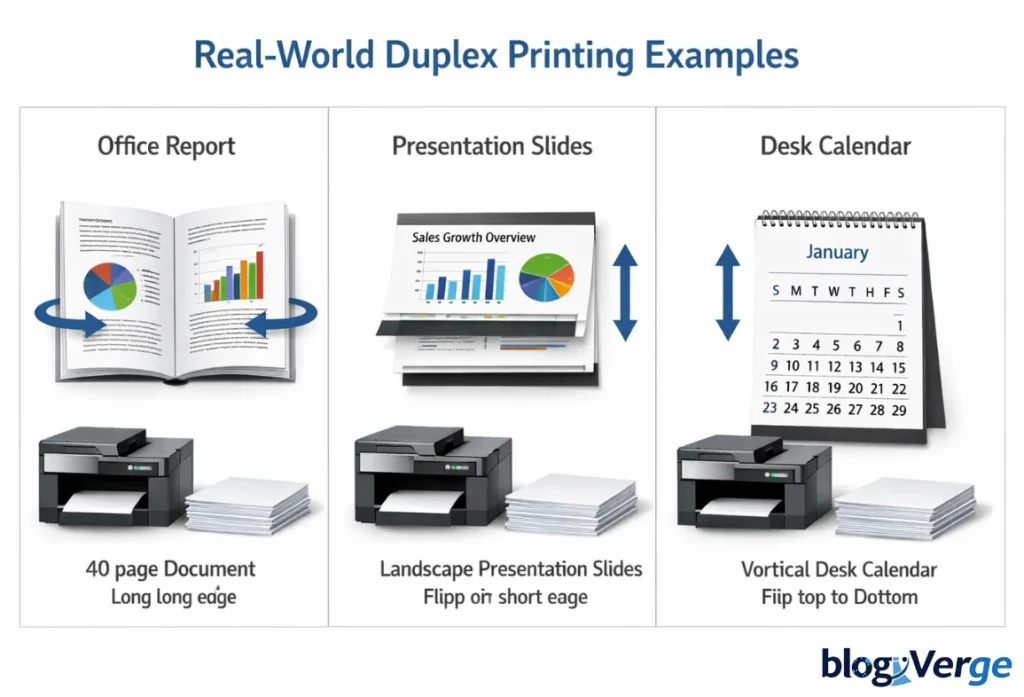
Example 1: Office Report
The 40-page portrait report should be printed with long-edge flipping to allow book-style reading.
Example 2: Presentation Slides
The landscape slides will also print and not invert the content when flipped on the short end of the landscape slide.
Example 3: Desk Calendar
The calendars turn up and down, and hence, short-edge flipping is the right option.
How to Choose the Correct Flip Option
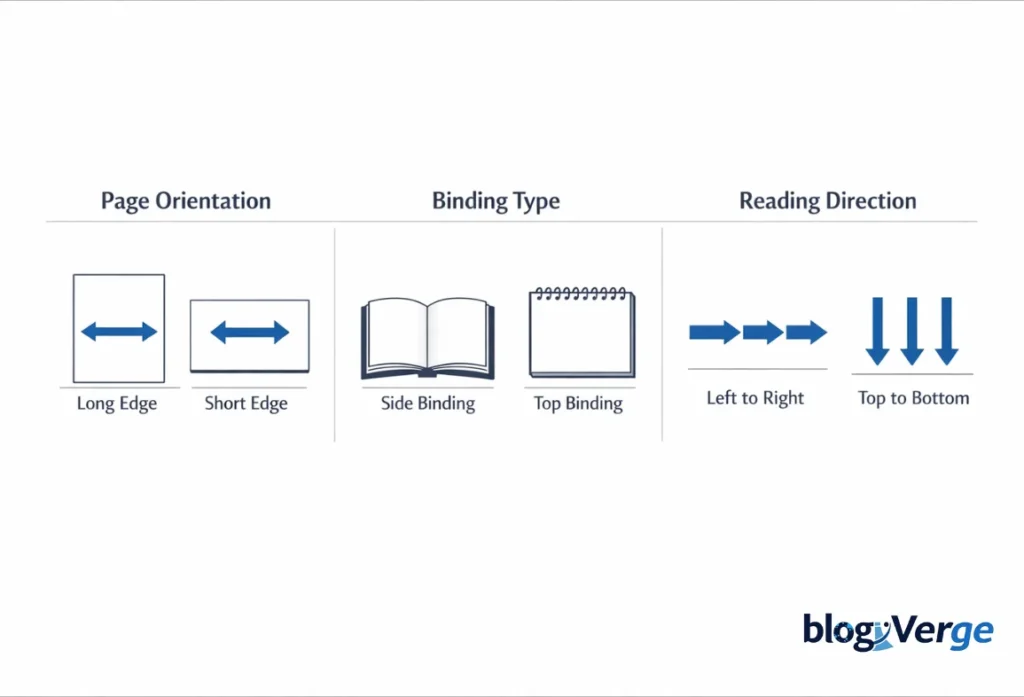
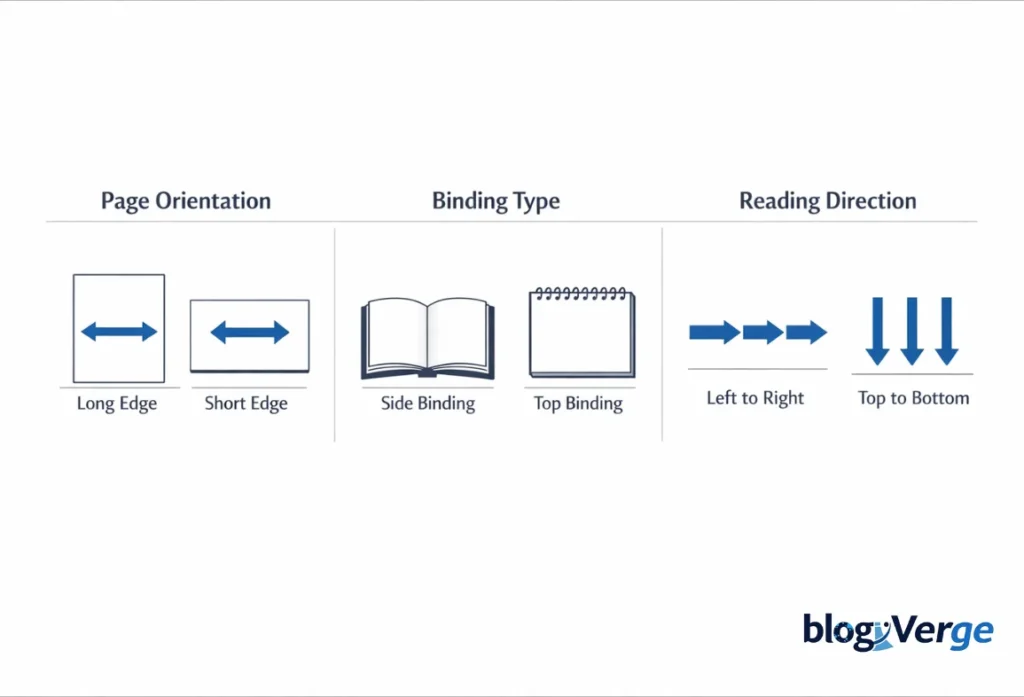
These are three questions that you should ask yourself:
1. What is the page orientation?
- Portrait → Long edge
- Landscape → Short edge
2. How will the document be bound?
- Side-bound → Long edge
- Top-bound → Short edge
3. How will users read it?
- Left to right → Long edge
- Top to bottom → Short edge
Flip on Long Edge vs Short Edge for PDF Printing
The PDFs are generally confusing because the layout might not match the printer settings.
Tips for PDFs:
- Always check Print Preview
- Match the PDF orientation with the flip option
- One page to be test printed before printing
The most common cause of upside-down pages is incorrect settings in PDFs.
Flip Settings for Booklets, Brochures, and Calendars
- Booklets and Manuals Flip on the long edge.
- Tri-fold brochures – It relies on the layout (typically the long side only)
- Calendars and planners → Flipping on the short side.
Any professional printing would need to match the document design with the flip direction.
How to Set Flip Options on Windows and Mac
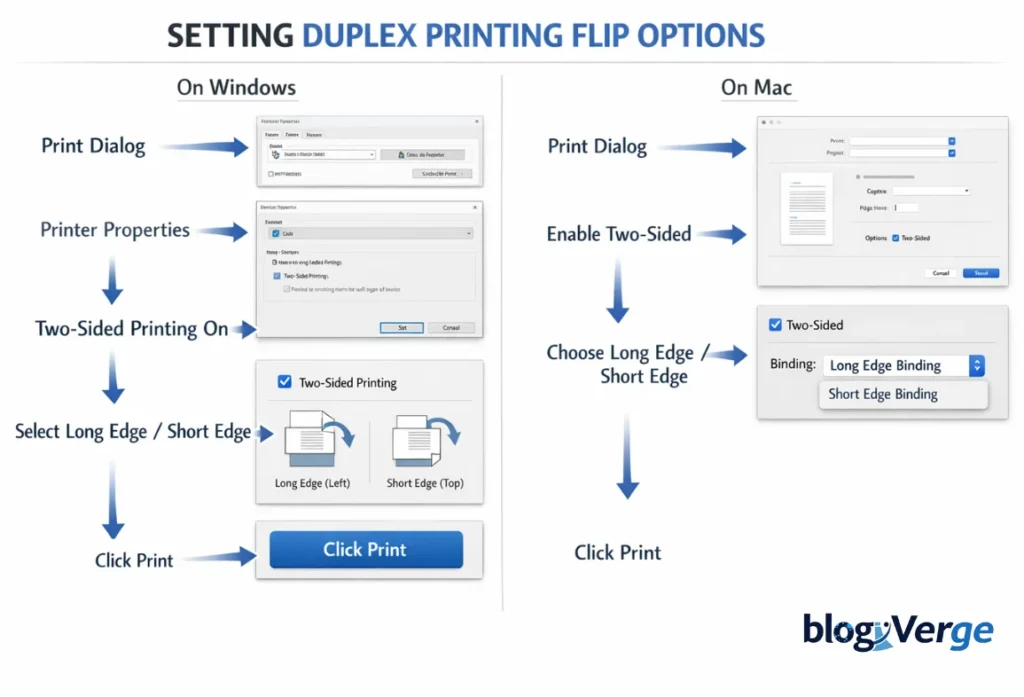
Windows
- File → Print
- Printer Properties
- Enable Two-Sided Printing
- Select Long Edge or Short Edge
macOS
- File → Print
- Enable Two-Sided
- Choose Long-Edge or Short-Edge Binding
Common Duplex Printing Mistakes (Short Version)
If you choose the wrong flip option, pages may print upside down. That’s why it’s essential to understand Flip on Long Edge vs Short Edge and match the flip setting with the long edge of the paper and the document’s orientation, so both sides print in the same direction.
Also, changing the document layout without adjusting duplex settings can affect page alignment or rotation. Since different printers use terms like long-edge, short-edge, top binding, or left binding, checking your printer driver is essential when dealing with Flip on Long Edge vs Short Edge.
Advanced Professional Printing Tips
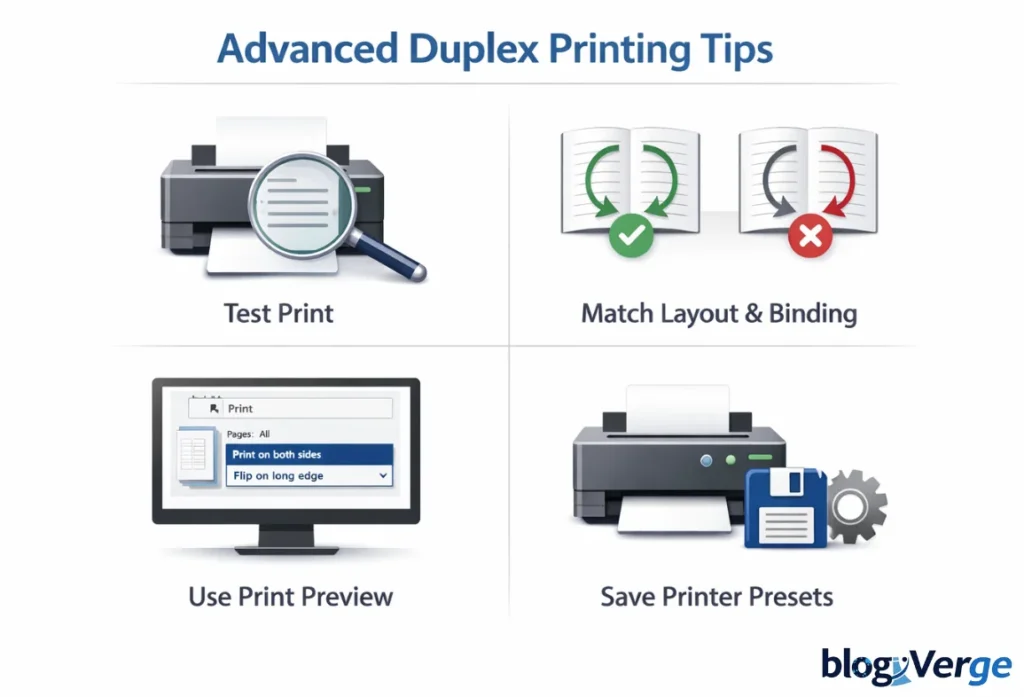
- Always test print first
- Match layout and binding style
- Use print preview every time
- Save printer presets for frequent jobs
Flip on Long Edge vs Short Edge: Key Takeaways
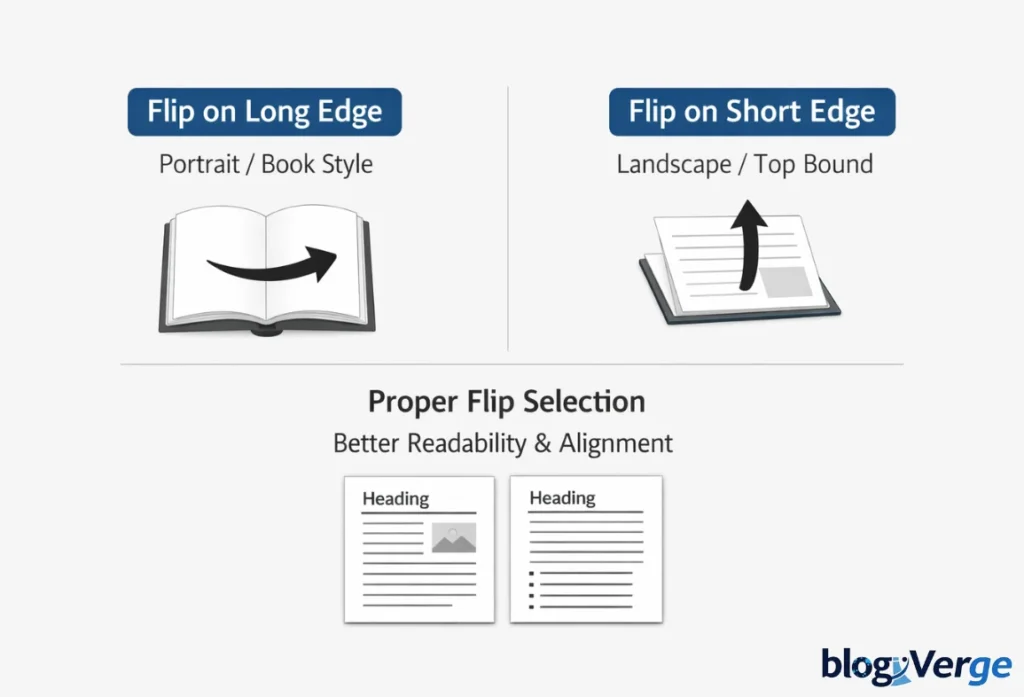
- Flipping on the long edge is best for portrait, book-style documents
- Flipping on the short edge is ideal for landscape and top-bound pages
- Correct selection improves readability and prevents printing errors
A small setting can make a huge difference in print quality.
Conclusion
Once you understand Flip on Long Edge vs Short Edge, duplex printing becomes much easier to handle. You can print any document with confidence, knowing the pages will align properly and nothing will be printed upside down.
So, the next time you open your printer settings, you won’t have to guess. You’ll know exactly which option to choose and why it’s the right one.
FAQs
Q1. Are you supposed to flip on long edge or short edge?
Ans: It depends on the document use long edge for portrait and short edge for landscape pages.
Q2. What does 2-sided flip on long edge mean?
Ans: It means pages flip left to right, like reading a book.
Q3. Which edge is flip on for portrait?
Ans: Portrait documents use flip on long edge.
Q4. What does “print on both sides” mean?
Ans: It means the printer prints on both sides of the same paper.
Q5. How do I choose the right duplex setting?
Ans: Match the flip option with your page orientation and binding style.